
Book a demo to see CertMS discover certificates across your CAs, servers and SSO apps, or compare plans.
Free tool
Free SSL/TLS Certificate Readiness Scan
Find out how your public certificates stack up against the CA/Browser Forum's shrinking certificate lifetimes. We check each domain's certificate and send you a PDF report with your renewal workload, timeline and risks.
Not sure where you stand? Take the readiness assessment.
Request your free scan
What the scan checks
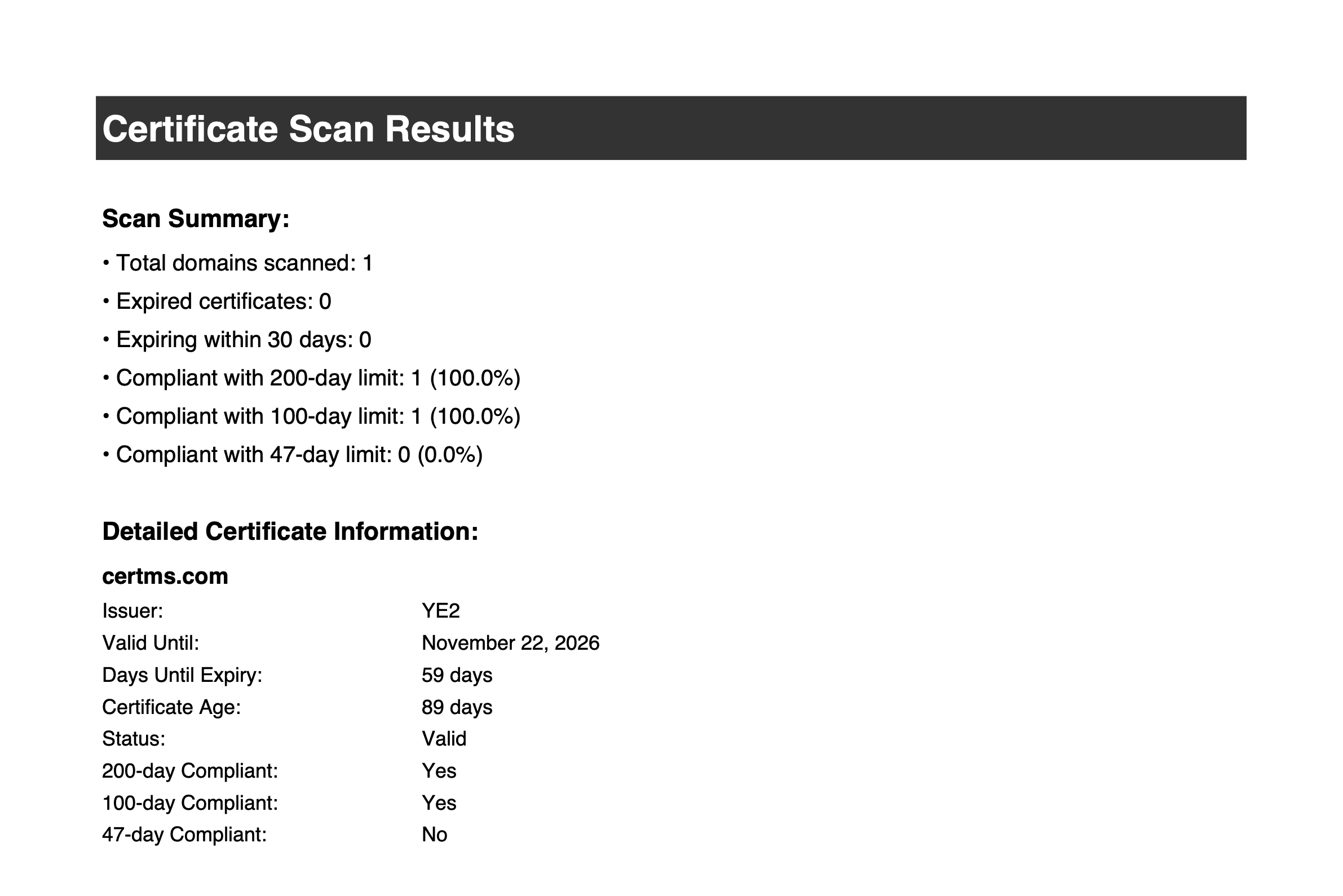
Expiration date
The exact expiry date of each certificate and how many days are left.
Issuer
Which certificate authority issued each certificate.
Lifetime vs. the new limits
How each certificate's lifetime compares with the 200-day limit (in effect since March 15, 2026), the 100-day limit (March 15, 2027) and the 47-day limit (March 15, 2029).
ACME automation
Whether a certificate looks ACME-automated (for example Let's Encrypt, ZeroSSL or Google Trust Services), which usually means its renewals are already handled.
What's in your report
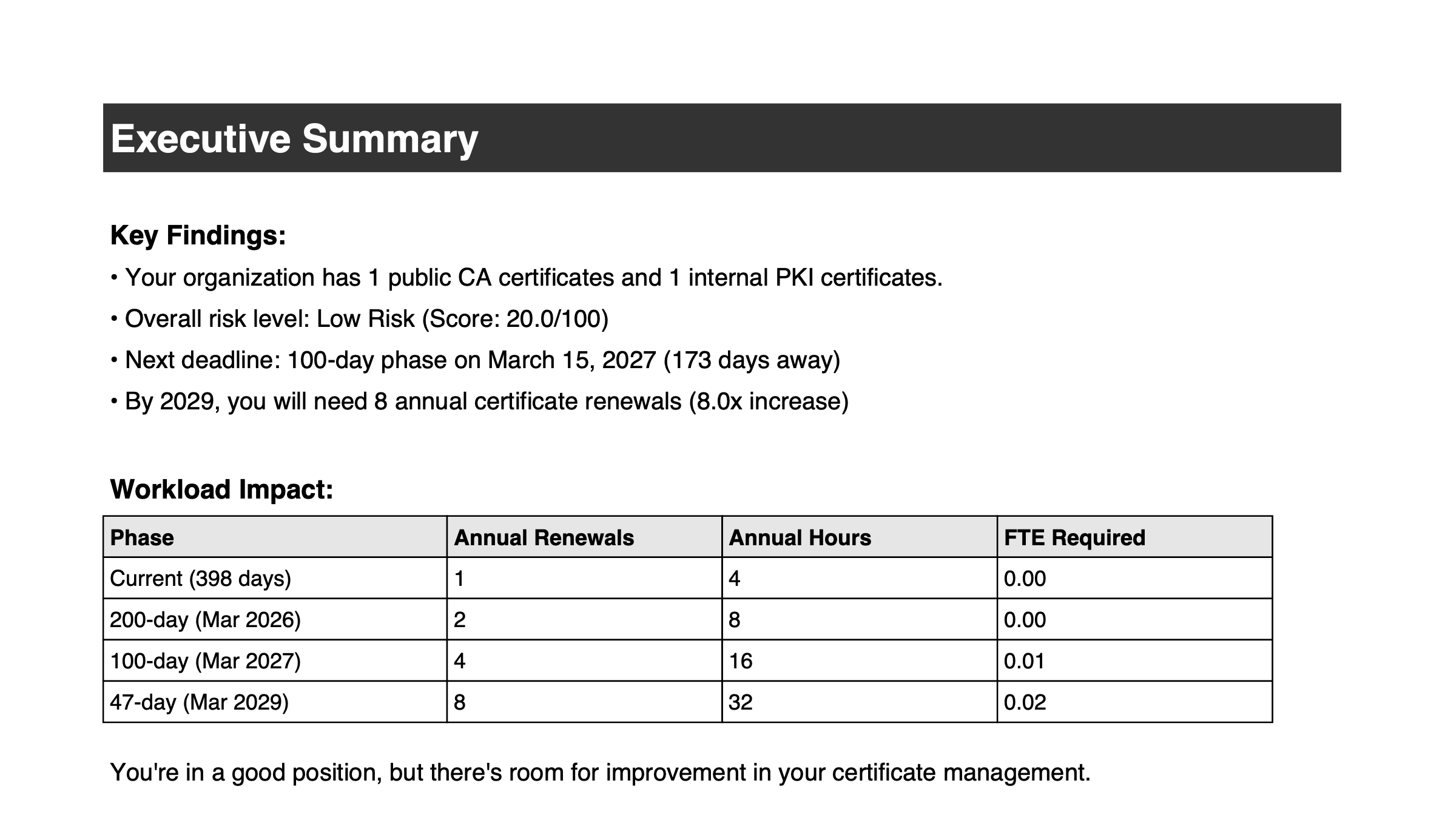
Executive summary
Your overall risk level and the key numbers at a glance.
Scan results
Each domain's certificate: issuer, expiry date and lifetime compliance.
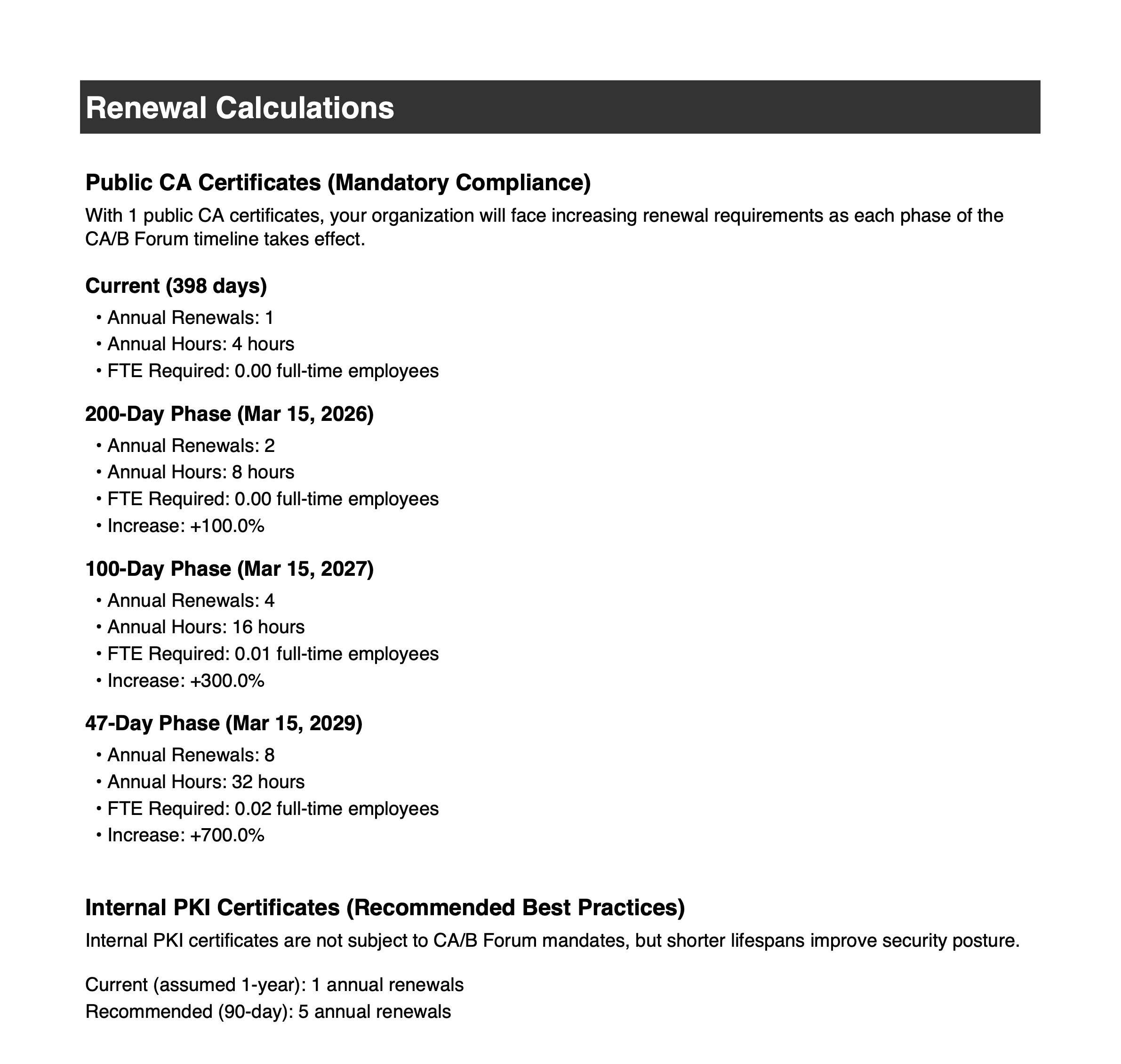
Renewal workload by phase
Renewals per year at today's and each future lifetime limit, in hours and staff time.
Timeline
What to do before each CA/B Forum deadline.
Risk factors
How certificate volume, compliance, upcoming expirations and automation affect your risk score.
Recommendations
Prioritized next steps for your environment.
The CA/B Forum certificate lifetime timeline
March 15, 2026 → maximum lifetime 200 days
In effect
March 15, 2027 → maximum lifetime 100 days
March 15, 2029 → maximum lifetime 47 days
Domain validation reuse also drops to 10 days
A public scan only sees part of the picture
An outside scan can only see internet-facing certificates. Certificates on your internal CAs, servers, SAML single sign-on apps and appliances need agent-based discovery from inside your network. That's what CertMS does.
Frequently asked questions
Is it free?
Yes. The scan and the PDF report are free.
What do you do with my domains and email?
We use them to run your scan and send your report, and we may follow up about CertMS. We don't sell your information. See our privacy policy for details.
How long does it take?
While our instant scanner is being rebuilt, we run each scan ourselves and email your report within one business day.
Can you scan internal certificates?
No. A scan from the internet can only see public-facing certificates. Certificates on internal CAs, servers, SSO apps and appliances need agent-based discovery inside your network, which is what CertMS does.